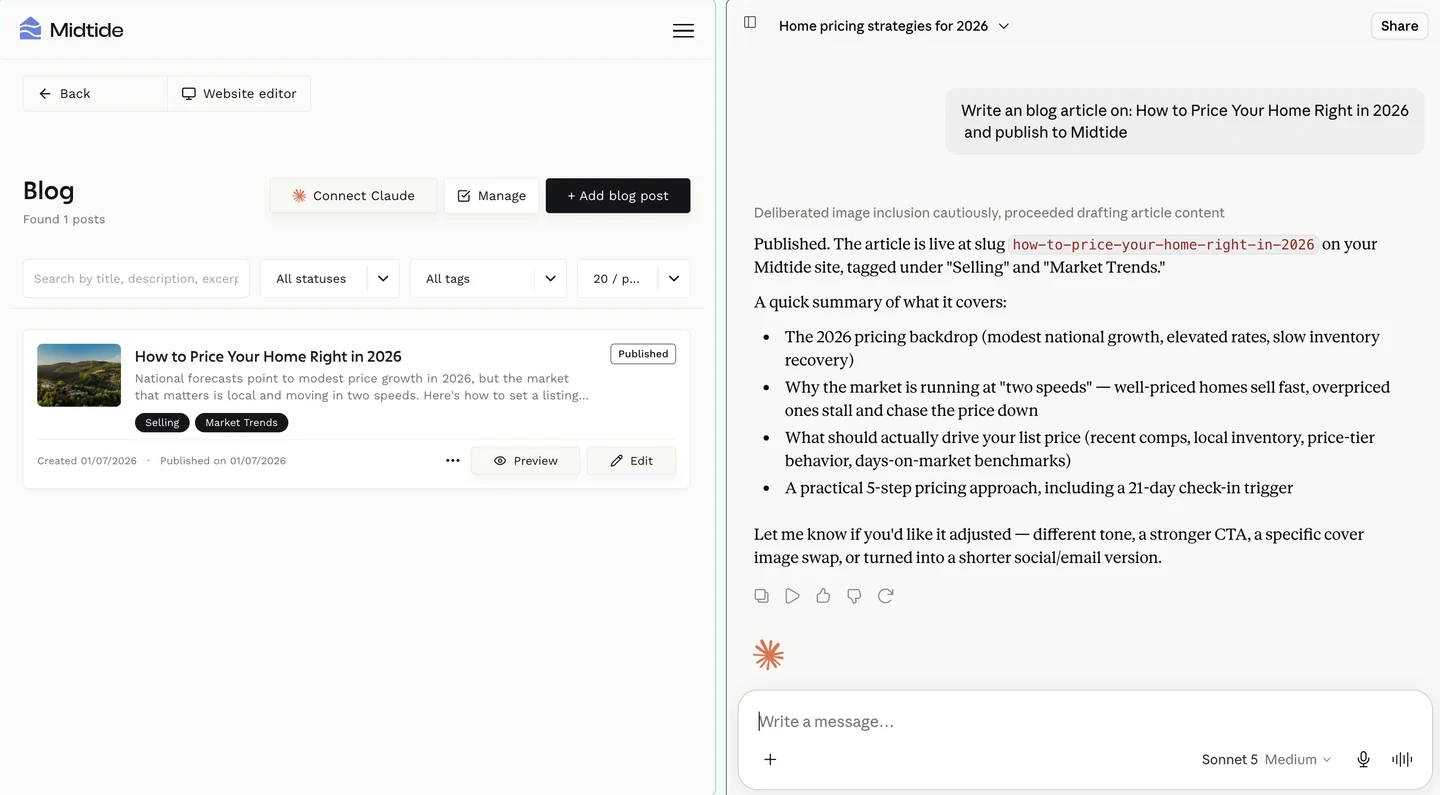
Ask it to write a post, update a listing, or chase a lead, and it just happens.
What this actually is
Most AI features in website builders are a text box bolted onto the editor. You ask for copy, you get copy, and then you still do the work of putting it in the right place. That's useful, but it isn't the thing people actually want.
This is different. Midtide runs an MCP server for your website, and Claude connects to it as a custom connector. Once it's connected, Claude can see your pages, your listings, your blog and your leads, and it can change them. You talk to Claude the way you already do, and your website is one of the things it can reach.
MCP is the Model Context Protocol, the open standard Anthropic published for connecting assistants to real systems. It's the same mechanism Claude uses to reach any other tool. We didn't invent a private integration format, because the whole point is that your site should be reachable by the assistant you already pay for.
What Claude can do with your site
The connector covers the parts of the product you spend the most time in.
- Blog. List posts, read a post, write a new one, edit an existing one, and publish it to your live blog.
- Pages and sections. Read your pages, create new ones, and add or change the sections inside them. Claude can ask the site which section types exist, so it builds with your real blocks rather than guessing.
- Properties. Create and update listings, publish them, read the fields your site expects, and get an upload link for images.
- CRM leads. List and search enquiries, read one in full, update a lead's status as it moves through your pipeline, add notes, and create a lead manually after a call.
- Team profiles. Read and update the agent profiles on your site. Owners manage everyone, editors can update their own.
In practice that means you can say "write a post about the new listings in Canggu and publish it", or "mark the three enquiries from yesterday as contacted and add a note about the viewing", and it's done on the site by the time you've read the reply.
Why we built it around Claude
Because that's where the work already happens. Agents we talk to are drafting listing copy, market updates and client emails in Claude already. The gap was never the writing. It was the twenty minutes after the writing, moving text into the CMS, fixing the formatting, uploading the images, updating the status of a lead someone replied to three days ago.
We could have built our own chat assistant into the dashboard and asked you to use that instead. We think that's the wrong bet. You'd get a worse assistant with none of your context in it, in a tab you visit twice a week. Better to make the site something the good assistant can already reach.
So Midtide builds to the standards agents actually use. An MCP server on the open protocol, OAuth for authorisation, scopes on every permission, and tool definitions that describe your real data model rather than a generic one. Claude is the first client we support because it's the one our customers use, and the protocol is open, so this is the same work either way.
How the permissions work
Giving an assistant write access to your live website is a real decision, so the connection is built to be narrow and reversible.
- One connection is one person plus one website. The site is baked into the connector URL, so Claude can't reach a site you didn't connect. If you run three sites, you add three connectors.
- You approve it on a Midtide screen. Claude sends you to Midtide, you sign in, and you see exactly which site and which permissions you're granting before you approve.
- Access is re-checked on every request. If someone loses access to the website, their Claude connection stops working immediately. There's no separate step to remember.
- You can revoke any time. Every active connection is listed in your dashboard with who authorised it and when it was last used. Revoke your own whenever you like. Site owners can revoke anyone's.
Team members can connect too, not just the owner. An editor gets the same tools against the same site, bounded by what they're already allowed to do in the dashboard. Claude doesn't get to escalate anyone's permissions.
Connecting it
It takes about a minute, and you only do it once per site.
- In your Midtide dashboard, open the site and click Connect Claude. It's on the blog, properties and leads pages, and in Website settings under Integrations. Copy the MCP server URL.
- In Claude Desktop or claude.ai, go to Settings, then Connectors, then Add custom connector. Paste the URL and connect.
- Claude opens a browser window. Sign in to Midtide and approve access for that site.
That's it. Ask Claude what's on your site and it'll tell you. Ask it to change something and it will.
Where this goes
A website is turning into something you talk to rather than something you log into. We'd rather build for that now than defend the dashboard. The dashboard isn't going anywhere, plenty of work is faster with a mouse, but the two should be equal ways into the same site.
If you're already using Claude for your listings and your client emails, connect it to your site and stop doing the copying part.
Not on Midtide yet? Pick a plan or talk to us about your market. We'll have you live this week.